
Automatic backup copies while your PC is idle
Who said your PC is useless when you're away from it? You can now have making backup copies for you!
IdleBackup is especially created for this purpose: it controls the processor level of usage and takes advantage of those idle moments when the CPU is not working in order to create backup copies of your most important documents.
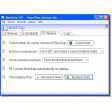
The program enables you to set a given period of time between backups (which surprisingly can only bet set in seconds and with your mouse – no keyboard allowed) but the automated process won't start if the computer is being used. There's also the possibility to manually start the backup copy.
The first backup will be a full copy, but the rest of them will be incremental which means that only those files which have been changed will be added to the backup. Copies can be saved to any other local folder or a networked drive. Apart from setting the period of time and the source and target folders, there are no other options to configure copies.
This is quite a simple backup copy program, but still it makes good use of those times when your computer is not in use.
5 backup settings can be memorized and recalled.Added a logfile mechanism. There is a logfile created for each day. The start/Stop time, eventual errors and when selected, all copy details are logged. The current day logfile is also presented on screen, see tabsheet 'Log'.Selection added for "Input activity check" for the Automatic backup.Filter for the drives in the explorer tree, allows to hide uninteresting drives.
Changes
5 backup settings can be memorized and recalled.Added a logfile mechanism. There is a logfile created for each day. The start/Stop time, eventual errors and when selected, all copy details are logged. The current day logfile is also presented on screen, see tabsheet 'Log'.Selection added for "Input activity check" for the Automatic backup.Filter for the drives in the explorer tree, allows to hide uninteresting drives.































User reviews about IdleBackup
Have you tried IdleBackup? Be the first to leave your opinion!